
Attendance is not productivity.
Understand working hours first. Then understand the work.
Time and attendance tells you when a working day starts and ends. Breaks, leave and timesheets answer different questions. Keeping them separate prevents misleading conclusions.
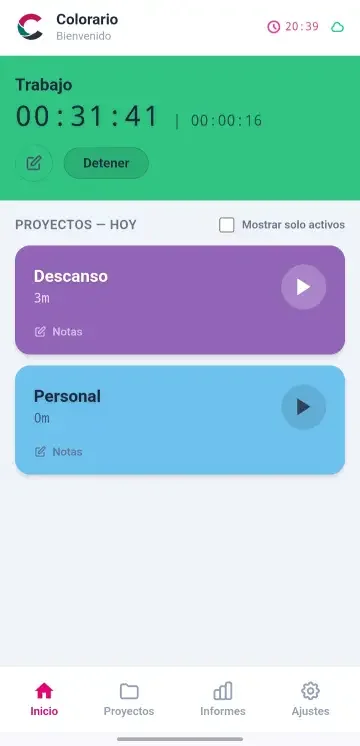
Working hours come from recorded events, not assumptions.
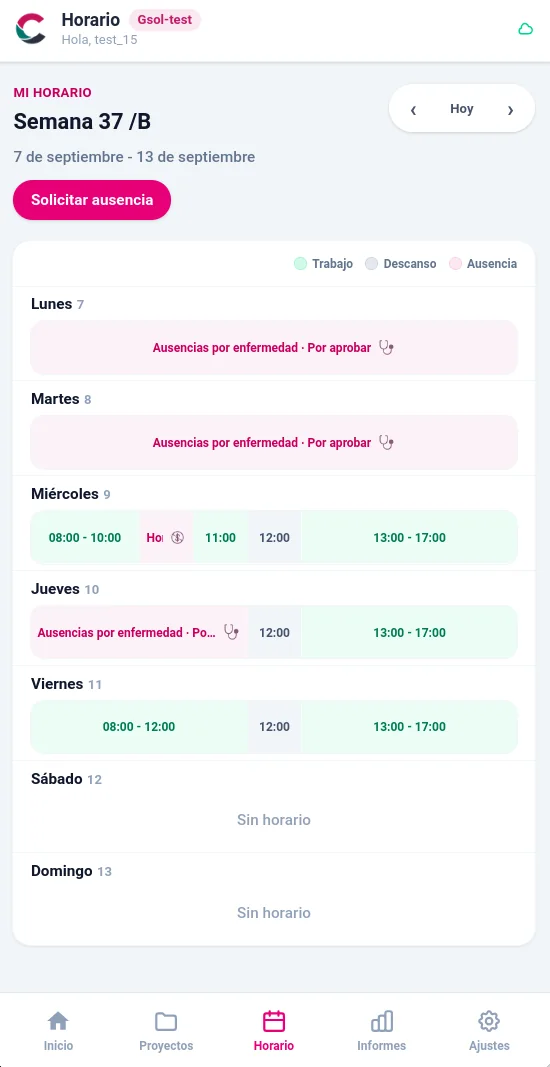
Employees can see their schedule and request leave without leaving Colorario.
Colorario shows the schedule assigned to each person, whether fixed hours, shifts or two-week rotations. When the company changes that schedule in Odoo, the updated information appears in Colorario.
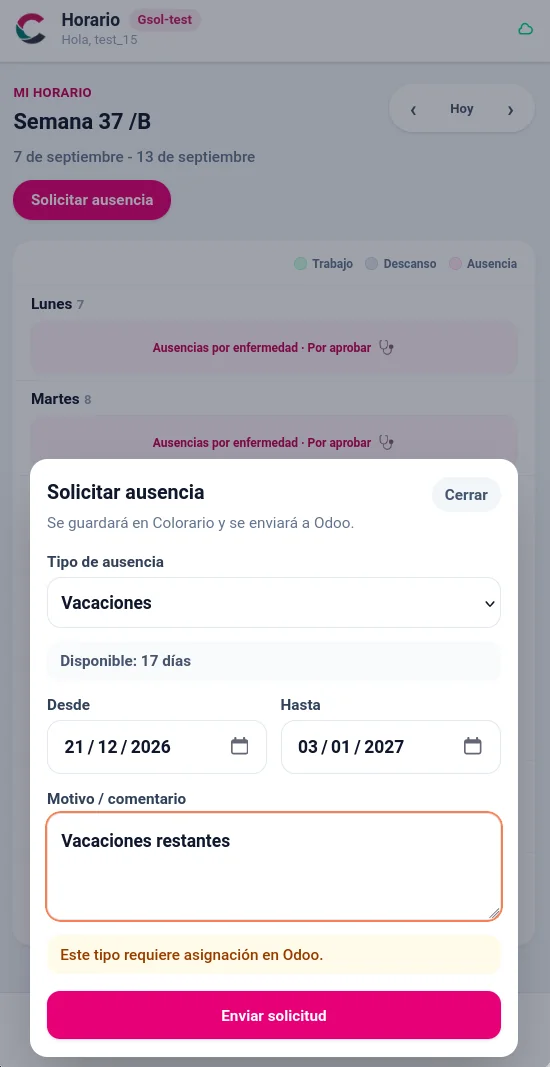
From the same view, employees can choose a leave type and dates. For holidays, they also see their available balance. Odoo manages allocations, accruals and approval workflows.
An absence is not a gap in time tracking.
Holidays, personal leave and sick leave each have a reason, period and status. They are neither a break nor an incomplete day. Once identified, an unrecorded day has an explanation.
Request in Colorario. Manage in Odoo.
Colorario makes requests straightforward, while Odoo retains the company's administrative workflow. This avoids turning the daily app into another HR management screen.
Can employees see their schedule in Colorario? +
Yes. They can see their assigned weekly schedule, including work, breaks and leave. This works for fixed schedules, shifts and alternating weeks.
What happens when schedules or shifts change? +
The company updates the schedule in Odoo and Colorario displays the latest information. Employees no longer need screenshots, messages or separate calendars to find their schedule.
What does the employee do in Colorario, and what stays in Odoo? +
In Colorario, employees check their schedule and request leave, choosing its type and dates. For holidays, they also see their balance. Odoo retains allocations, accruals, approvals and administration.
Do schedules and leave work offline? +
No. This part of Colorario needs connectivity because it reads the current schedule and sends requests that must remain centralised in Odoo.
How does Colorario know the remaining holiday balance? +
Colorario shows the remaining holiday balance. Initial allocation, accrual rules and calculations are managed in Odoo.
Are holidays, personal leave and sick leave handled alike? +
They share a request interface, but not necessarily the same rules. In Odoo, the leave type determines whether requests use days, half days or hours and who approves them.
Clear leave records prevent unnecessary questions.
We can assess which leave types, statuses and dates should be visible and how to keep them separate from working hours, projects and timesheets.